Appearance
License Monitor
The License Monitor feature enables insight of occupied Polarion licenses using trend charts.
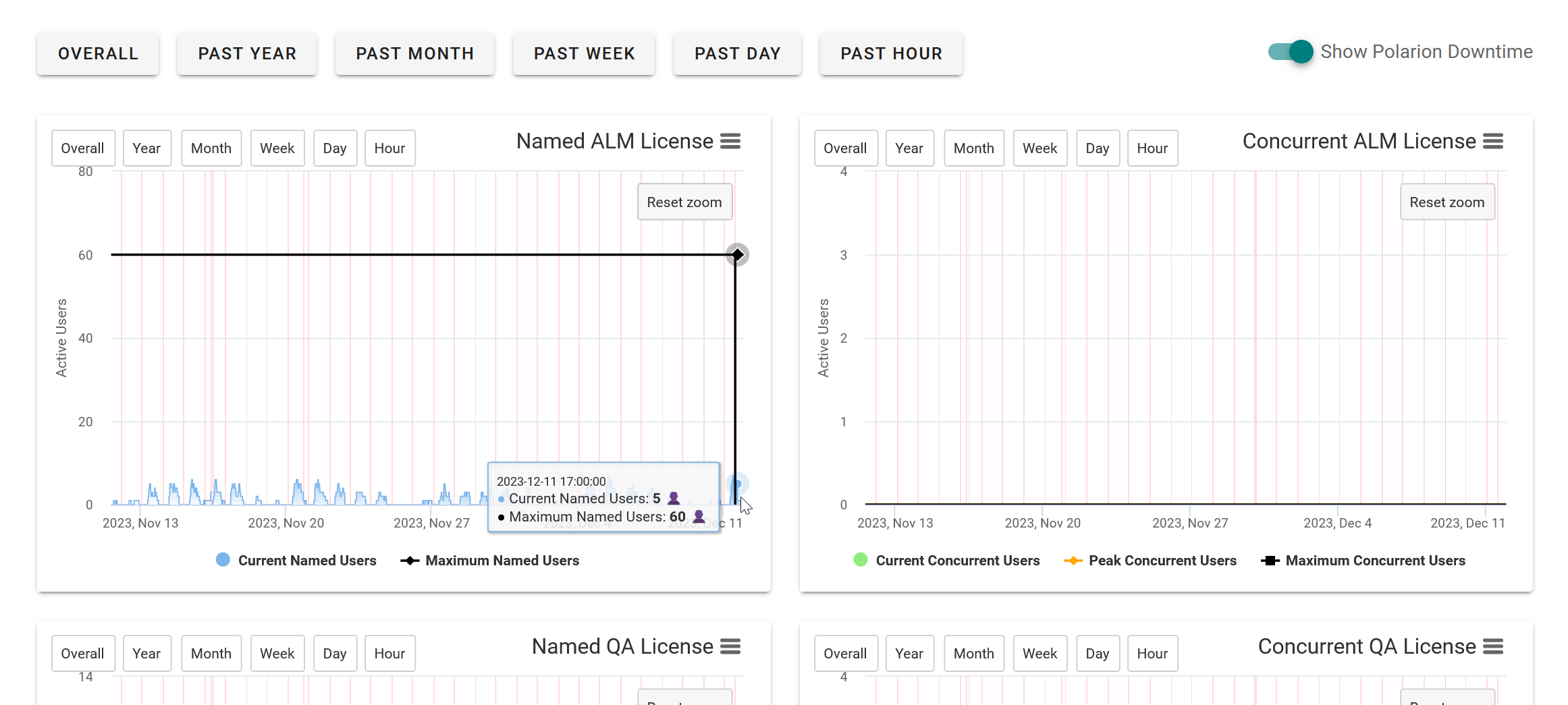
How to access
The feature is accessed in Polarion by visiting Global Administration > UPPS! Extensions > License Monitor.
How to install
The License Monitor requires installation and integration of Directus.
TIP
Your UPPS! Extensions installation bundle ships with a Docker Compose file to make installation of Directus easier for you.
Installing Docker and Docker Compose
To make use of the Docker Compose file, you need to install docker and docker compose on your server. See the official Docker Engine install page for supported systems on installing the docker binaries. Additionally follow Install the Compose plugin to install docker compose.
For the easiest possible setup, install Directus on the same host machine as your Polarion instance. You do not need to make any extra configurations for the License Monitor to make use of it. You may choose to do so for security purposes or if you want to make License Monitor usable in a Polarion cluster installation. Contact service@upps-ext.eu for changing those settings or if you need support for setup in a Polarion cluster installation.
The necessary files for setting up Directus are contained in the directus.zip of your installation bundle. Choose a location where you want to install it, then follow either the Linux or Windows installation steps.
powershell
Expand-Archive directus.zip
Set-Location directus
# Alternatively try `docker-compose up -d` if the command cannot be found
docker compose up -d
sh
unzip -X directus.zip # May need installation of the unzip package
cd directus
docker compose up -d # Alternatively try `docker-compose up -d` if the command cannot be found
Polarion
To integrate Polarion with Directus, uncomment or add following properties in your polarion.properties configuration.
ini
eu.cipalpha.upps.licensemonitor.directus.host=http://localhost:8055
eu.cipalpha.upps.licensemonitor.directus.token=K4N1TuKSGVkcufy6rUMPBYyIxbqixqJt
eu.cipalpha.upps.licensemonitor.postgre.host=localhost:5431
eu.cipalpha.upps.licensemonitor.postgre.user=directus
eu.cipalpha.upps.licensemonitor.postgre.pw=sutcerid
Start Polarion and add following scheduler job configuration through Global Administration > Scheduler.
xml
<job
  cronExpression="0 */5 * * * ?"
  disabled="false"
  id="upps.license.monitor.job"
  name="UPPS!E License Monitor Ticker"
  scope="system">
</job>
This will instruct Polarion to execute the UPPS!E License Monitor job which will record the occupied licenses in Polarion and pushes the record to Directus every 5 minutes. It uses the host and token properties which you uncommented to identify the Directus host as well as the token required to authenticate against the service. You may modify the cron expression to perform its job at a different rhythm, but it does not support updates within less than a minute.